Manual
igus® smart plastics
i.Sense
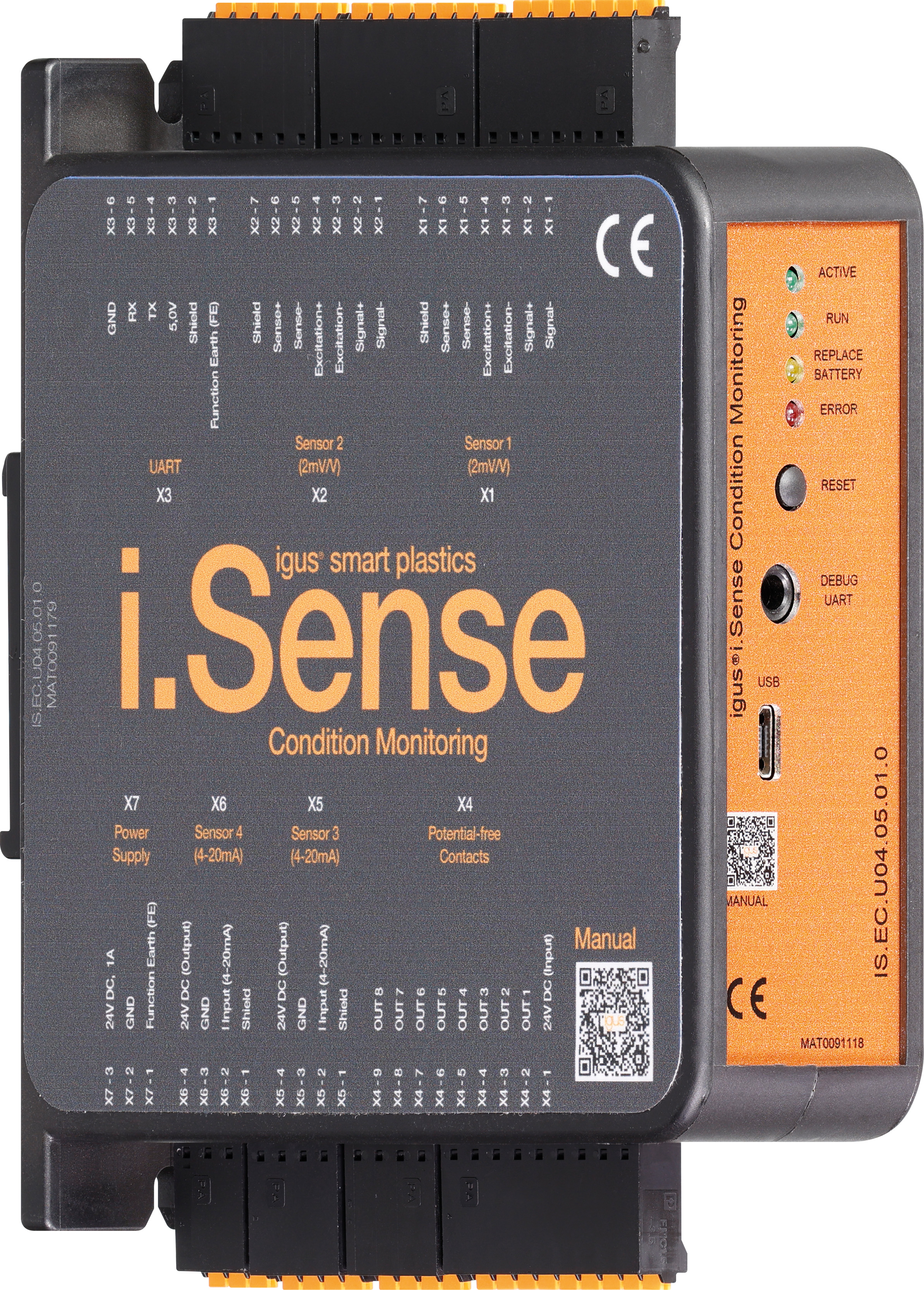
Safety instructions
Read this manual in its entirety before commissioning. Observe all safety and installation instructions; product-specific protective measures are listed in the respective chapters. When used in the overall system, this information must be passed on to the end user.
Warranty is only valid in accordance with the specifications mentioned in this manual and is limited to repair or replacement of the i.Sense:modul II. igus® assumes no liability for integration tasks, consequential damages, misuse or unauthorised changes. The product and documentation are subject to change.
The i.Sense:modul II may only be operated if:
- Installation and safety instructions are observed,
- the housing is mounted in accordance with ESD/EMC standards,
- no modifications have been made to the device and it is in perfect condition,
- the operating limits specified in the technical data are respected.
The following information boards will appear a few times in the manual, they are classified so that the degree and type of hazard are marked.
DANGER!
Safety instructions marked DANGER indicate an imminent danger situation.
WARNING!
Safety instructions marked with WARNING indicate a possible dangerous situation. Ignoring the notice may lead to a serious or even fatal accident or property damage.
CAUTION!
Safety instructions marked with CAUTION indicate a possible dangerous situation. Failure to comply with the notice may lead to an accident or property damage.
NOTE!
Safety instructions marked with NOTE indicate a possible dangerous situation. Failure to comply with the notice may lead to property damage. General information and explanations are also marked in this way.
WARNING!
i.Cee.plus II is not a safety component within the meaning of the Machinery Directive and does not provide protection against personal injury. Failure to do so can lead to serious property damage and personal injury.
Qualified personnel
The i.Sense:modul II may only be operated and maintained by qualified specialists.
-
The staff must have read and understood this manual and any additional documentation that may exist.
-
Personnel must be familiar with all relevant applicable standards, regulations and accident prevention regulations.
-
The personnel must be able to foresee or recognize any hazards that may arise when using the controls.
-
Personnel must be able to ensure the safety of people and objects when using the sensor unit in the overall system.
-
Personnel must be trained in the handling of ESD sensitive equipment and must have all necessary Take precautions.
Compliance with EU Directives
The CE marking on the device confirms compliance with the following European directives:
| Policy | Description |
|---|---|
| 2014/30/EU Electromagnetic Compatibility (EMC) | Directive of the European Parliament and of the Council on the harmonisation of the laws of the Member States relating to electromagnetic compatibility |
| 2014/53/EU | Directive of the European Parliament and of the Council on the harmonisation of the laws of the Member States relating to the making available on the market of radio equipment and repealing Directive 1999/5/EC |
| 2011/65/EU RoHS | Directive of the European Parliament and of the Council on the restriction of the use of certain hazardous substances in electrical and electronic equipment |
The applicable directives are listed in the EU declaration of conformity of the respective device.
Cyber Resilience Act (CRA) Notice
This product contains digital components. For such products, the Security requirements of the EU Cyber Resilience Act (Regulation (EU) 2024/2847). The CRA specifies that software and connected devices must be used across the entire life cycle must be operated safely and kept up to date.
To ensure that you can use your system reliably and safely, please note:
- Install deployed firmware and software updates regularly.
- Use secure network and access settings.
- Change default passwords immediately after commissioning.
- Disable unnecessary interfaces or services.
If you see a technical anomaly or a possible security vulnerability , please report them via the official igus support channel: security@[manufacturer].com or via the service portal.
The CRA also requires users to have access to information on: Receive security support, known risks, and update processes. For more details, please refer to the documentation of this product or with your national market surveillance authority.
Note on the EU Dual-Use Regulation (EU) 2021/821
Individual electronic components and sensors in this product may vary depending on the fall under the EU Dual-Use Regulation (EU) 2021/821. This ordinance regulates goods that are used in both civilian and military area.
For export to countries outside the EU, a permit can therefore be obtained may be necessary. Whether this is true depends on the target market, the application and the respective technical configuration.
Please check before passing on or exporting the product:
- whether there are export restrictions for your destination country,
- whether your application is considered security-critical or military-grade,
- whether a permit is required under applicable regulations.
For more information, please contact your national export control authority (e.g. BAFA in Germany) or in the official EU documents.)
CAUTION!
Do not open the device when wet or with wet hands. Be sure to make sure that the polarity of the battery is correct (see Figure 1 on the right, red marking). Otherwise, there is a risk of fire and explosion. Replace the battery only and exclusively with a type with the exact same values (battery type: CR1225/3V).
NOTE!
The i.Sense:modul II may only be maintained by qualified specialists. Please refer to Chapter 1.2 (Qualified Personnel). If hardware problems occur due to unqualified personnel, the warranty will be void. If you experience other hardware problems, please contact our customer service (see page 30). Used batteries do not belong in household waste. The batteries must be handed in at a collection point for used batteries.
In the i.Sense:modul II, on the circuit board, there is a CR1225 3V battery (see red marking Figure 1 on the right). For the period in which the 24V supply voltage is switched off, the battery ensures that the date and time are maintained. The battery must be replaced as soon as the status light-emitting diode labeled "Replace Battery" lights up yellow (see red marker Figure 1 on the left).
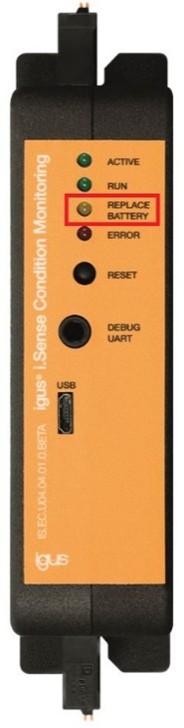
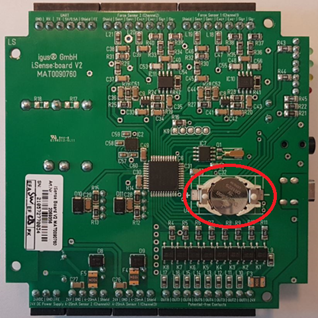
Figure 1: IS. EC. U04.04.01.0 - Battery
When you change the battery, you completely de-energize the device. Disconnect any connected terminals on the device and remove the device from the DIN rail. Remove the front sticker and unscrew the 4 screws on the right unglued half of the case.
(If the sticker is damaged during opening, please contact igus® customer service to order a replacement for a replacement). Then the left and right sides of the case can be carefully pulled apart on the front and back with the thumbs from the top to the bottom.
NOTE!
After a battery change, the date/time parameters are lost. To apply a new date/time, all parameters must be re-entered in the graphical user interface in configuration mode. Please proceed as described in Chapter 7.3 "Operating the User Interface" on page 19.
The igus® smart plastics condition monitoring concept helps to avoid unplanned system downtimes due to breakage or blockage of the igus® e-chain system®. i.Sense:modul II is a microprocessor-based DIN rail module (diagnostic tool) for the continuous evaluation of connected i.Sense sensors. Eight potential-free contacts enable a rapid machine reaction to unexpected operating conditions of the igus® e-chain® system. The configuration dashboard and sensor data download can be accessed via USB and WiFi connectivity.
DANGER!
The i.Sense:modul II is not a safety component within the meaning of the Machinery Directive. The device is intended exclusively for the prevention of blockages or breakages on igus® e-chain systems®, and is not suitable for the prevention of personal injury during machine / plant operation. Failure to do so can result in serious personal injury up to death or serious, irreversible injuries as well as property damage.
Use the appliance only as intended. The protection of persons is not guaranteed if the device is not used in accordance with its intended use.
igus® GmbH is not liable for damage caused by improper use.
Read this original user manual before using the device. Knowledge of the original operating instructions is part of the intended use.
Foreseeable misuse:
Any use other than that specified under "Intended Use" or any use that goes beyond it shall be deemed not to be in accordance with its intended purpose.
The use of the device is prohibited in particular in the following cases:
- in safety-relevant circuits
- in rooms with an explosive atmosphere
- On machines and systems with vibrations
Product Overview
Betriebsarten
| Operating mode |
Description |
|---|---|
| Stand-alone |
- Detection of unusual operating states on igus® e-chain systems® - Connection of up to 4 sensors (2x force sensor/load cell, 2x position sensor (4-20mA) - Sensor configuration as well as adjustments of the measurement algorithms and sensitivity via graphical user interface via USB and WLAN - Raw data storage in the internal eMMC memory - Raw data download in CSV format and as SQL database - Connection to system control via NC contacts for connection to I/O ports - Optional: Notification of threshold value exceedances and alarm messages via SMS |
| Hybrid |
- predictive maintenance information (additional connection to i.Cee II required) - possibility of display in dashboard in online and offline operation |
Table 2: Product Overview
Technische Data
| Mechanical Specifications | |
|---|---|
| D x W x H in millimeters incl. plugs & fasteners |
110 x 31 x 125 mm |
| Weight in grams |
Approx. 120 g |
| Fastening/ Mounting |
TS35 Carrier Rail in Grounded Metal Control Cabinets |
| Color |
Black |
| Connectable conductor cross-section |
0.25... 1.5 mm2 (non-insulated ferrules) 0.25... 0.75 mm² (insulated ferrules) 0.25... 1.5 mm² (without ferrule) |
Table 3: Mechanical Specifications
CAUTION!
- Risk of destruction
: An operating voltage that is above the voltage specified in the technical data will destroy the i.Sense:module II.
| Electrical Specifications | |
|---|---|
| Power supply (terminal X7) |
24V DC (1A max.) |
| Power supply potential-free contacts (terminal X4) |
24V DC (0.3A max.) |
| Output voltage (terminal X1 and X2) |
5V DC |
| Output voltage (terminal X3) |
5V DC (0.5A max.) |
| Output voltage (terminal X5 and X6) |
24V DC |
Table 4: Electrical Specifications
| Interfaces | |
|---|---|
| UART |
5V (0.5A max.) Output, 115200 baud, 8N1, no parity |
| Service UART (3.5mm jack) |
3.3V input, 115200 baud, 8N1, no parity |
| RS-485 |
proprietary |
| Bluetooth |
4.0 dual mode |
| Wi-Fi |
802.11b/g/n |
| Ethernet |
100 Mbps |
Table 5: Interfaces
| Storage Capacity | |
|---|---|
| Sensor Data Memory |
4GB Ring Memory of 8GB eMMC |
Table 6: Storage Capacity
WARNING!
- Risk of malfunction
- Fire hazard
- Risk of explosion
- Risk of electric shock
- Fire hazard
Do not operate the i.Sense:modul II in water, humid environments or in aggressive, flammable or explosive atmospheres and not in vibrations. Due to the self-heating of the device, it must be ensured that the outside temperature does not exceed 40°C. If this is not guaranteed, a ventilated or air-conditioned housing must be used.
| Environmental conditions | ||
|---|---|---|
| Temperature range | Operations | -20… 40 °C |
| Storage | -40... 45 °C | |
| Transport | -40... 45°C | |
| Relative humidity | ≤ 90%, non-condensing | |
| Degree of protection | IP 20/ DIN EN 60529 |
Table 7: Environmental conditions
Installation
CAUTION!
Always lay the connecting cables of the device outside the traffic routes. There is a risk of tripping with loosely laid cables. Do not lay or squeeze cables over sharp edges, corners or moving parts. No objects may be hung or attached to cables. Electrical equipment must be handled carefully. Movable cables and plugs must be protected from damage caused by entrapment, impact and driving over by vehicles and equipment. Electrical equipment, cables and plugs and sockets may only be used if they meet the operational and local safety requirements with regard to the mode of operation and environmental influences.
Mechanische Installation
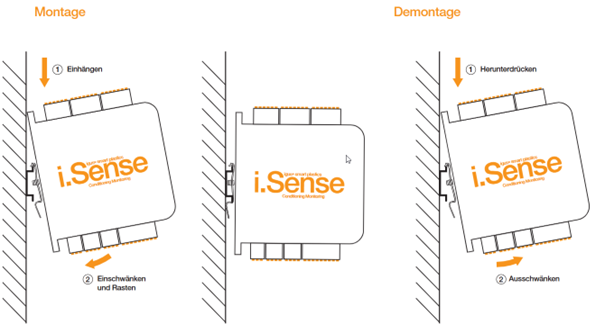
- Vertical, TS35 DIN rail
- Vibration-free installation location
- Connection space: 50mm vertical, 35mm
- Avoid heat build-up, provide sufficient ventilation
Sensors
Terminals X1/X2 2mV/V Force Measurement
CAUTION!
The device is designed in such a way that forces up to a maximum of 90% of the rated load can be monitored. To simplify, a mass of 1t corresponds to a force of 10000N and a mass of 2t corresponds to a force of 20000N. When using a load cell with a nominal capacity of 1t and 2t, the maximum adjustable force limits are as follows (see Table 1). Setting force limits beyond 90% of the nominal capacity is not permitted.
| Nominal Capacity Load Cell | Maximum adjustable force limits 90% of rated capacity |
|---|---|
| 1t | 9000 N |
| 2t | 18000 N |
Table 11: Maximum adjustable force limits
Terminals X1/X2 2mV/V Force Measurement
igus® strain gauge sensors for traction and thrust measurement on igus® e-chain systems®:
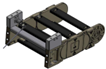 Figure 6:
DMS sensor on KMA
Strain gauge ( strain gauge ) sensor in a set with a second "dummy" for mounting on igus® KMA connection elements for e-chain systems® of the E2, E4, P4 series
Connection: Four-wire, M12 industrial connectors
Assignment: igus® strain gauge sensors with CF10.03.05.INI cable
| Clamp | Description | Core colours when using a CF.10.03.05.INI force sensor cable |
|---|---|---|
| X1/X2 – 7 | Shield | Shield (yellow) |
| X1/X2 – 6 | + Scythe | -- |
| X1/X2 – 5 | - Sense | -- |
| X1/X2 – 4 | + Excitation | white |
| X1/X2 – 3 | - Excitation | black |
| X1/2 – 2 | + Signal | blue |
| X1/X2 – 1 | - Signal | brown |
Table 12: Connection Terminal X1 / X2
In floating carriers integrated load cells
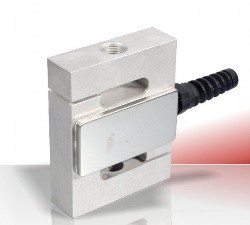
Figure 7:
Vishay Load Cell Model 616 1t
Load cells integrated into the metal construction of the floating driver for all igus® e-chain systems®
Connection: Seven-wire, Harting HAN 3A M20 EMC industrial connector
Occupancy: Vishay Load Cell Model 616.1t
| Clamp | Description | Core colours of the 3m connection cable |
|---|---|---|
| X1/X2 – 7 | Shield | Shield (yellow) |
| X1/X2 – 6 | + Scythe | Blue |
| X1/X2 – 5 | - Sense | brown |
| X1/X2 – 4 | + Excitation | green |
| X1/X2 – 3 | - Excitation | black |
| X1/X2 – 2 | + Signal | red |
| X1/X2 – 1 | - Signal | white |
Table 13: Connection of Vishay load cell Model 616 1t to terminal X1 / X2
Occupancy: Vishay Load Cell Model 620.2t
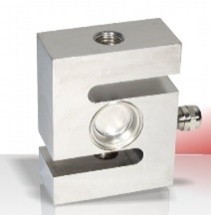
Figure 8:
Vishay Load Cell Model 620 2t
| Clamp | Description | Core colours of the 5m connection cable |
|---|---|---|
| X1/X2 – 7 | Shield | Shield |
| X1/X2 – 6 | + Scythe | green |
| X1/X2 – 5 | - Sense | grey |
| X1/X2 – 4 | + Excitation | blue |
| X1/X2 – 3 | - Excitation | black |
| X1/X2 – 2 | + Signal | White |
| X1/X2 – 1 | - Signal | Red |
Table 14: Connection of Vishay load cell Model 620 2t to terminal X1 / X2
In Line traction sensors Integrated load cells
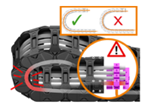
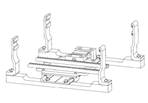
Load cells (as in the case of floating carrier) integrated in the metal construction of the strain relief for igus® e-chain systems® of the series E4.42, E4.56, E4.80, 4040, 5050, P41.56, P41.80
Connection: Eight-wire, Harting HAN 3A M20 EMC industrial connector
Occupancy: Vishay Load Cell Model 616.1t
| Clamp | Description | Core colours of the 3m connection cable |
|---|---|---|
| X1/X2 – 7 | Shield | Shield (yellow) |
| X1/X2 – 6 | + Scythe | Blue |
| X1/X2 – 5 | - Sense | brown |
| X1/X2 – 4 | + Excitation | green |
| X1/X2 – 3 | - Excitation | black |
| X1/X2 – 2 | + Signal | red |
| X1/X2 – 1 | - Signal | white |
Table 15: Connection of Vishay load cell Model 616 1t to terminal X1 / X2
Occupancy: Vishay Load Cell Model 620.2t
| Clamp | Description | Core colours of the 5m connection cable |
|---|---|---|
| X1/X2 – 7 | Shield | Shield |
| X1/X2 – 6 | + Scythe | green |
| X1/X2 – 5 | - Sense | grey |
| X1/X2 – 4 | + Excitation | blue |
| X1/X2 – 3 | - Excitation | black |
| X1/X2 – 2 | + Signal | White |
| X1/X2 – 1 | - Signal | Red |
Table 16: Connecting Vishay Load Cell Model 620 2t to Terminal X1 / X2
Assignment: ME measuring systems load cell KD40s, 200kg
| Clamp | Description | Core colours of the 3m connection cable |
|---|---|---|
| X1/X2 – 7 | Shield | Shield |
| X1/X2 – 6 | + Scythe | -- |
| X1/X2 – 5 | - Sense | -- |
| X1/X2 – 4 | + Excitation | brown |
| X1/X2 – 3 | - Excitation | white |
| X1/X2 – 2 | + Signal | green |
| X1/X2 – 1 | - Signal | yellow |
Table 17: Connection ME measuring systems load cell model KD40s 200kg to terminal X1 / X2 Principle of the line tensile force sensor Structure of the line tensile force sensor
CAUTION!
The device is designed to measure positions within the nominal length. When using a position sensor with a nominal length of 99mm, the lower position limit must be >0mm (e.g. 10mm) and the upper position limit must be <99mm (e.g. 90mm). Setting position limits <= 0mm for the lower position limit and >= 99mm for the upper position limit is not permitted. The same applies to position sensors with other nominal lengths.
Terminals X5 / X6 4-20mA
Breaking force sensor integrated into SLS housing
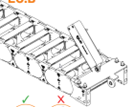
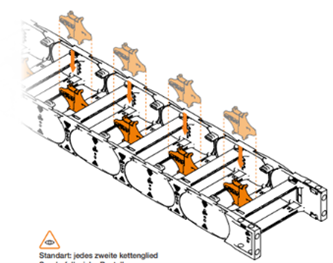
Figure 11:
Structure of the Breaking Force Sensor
Breaking force monitoring on the floating driver for mounting on igus® KMA connection elements or steel connection elements for e-chain systems® of the E4 and P4 series Special features: Inner width >350mm 2x sensor required on driver Chain length >35m, 1x sensor on driver, 1x sensor on anchor point, knot of the polymer rope in the middle of the e-chain® Special dividers must be positioned in e-chain® Connection: Four-wire, M8 industrial screw connector, CF10.03.05.INI Occupancy:
| Clamp | Description | Core colours when using a CF10.03.05.INI sensor cable |
|---|---|---|
| X5/X6 – 4 | 24 V DC | brown |
| X5/X6 – 3 | GND | blue |
| X5/X6 – 2 | Input (4-20mA) | white |
| X5/X6 – 1 | Shield | Shield |
| -- Not used | 0-10V | black |
Table 18: Connection of Balluff sensor (MAT0090096) to terminal X5 / X6
Cylindrical Sensor/ Roller Sensor
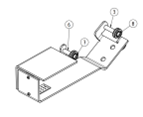
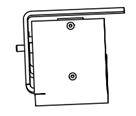
Breaking force monitoring on the floating driver for mounting on igus® KMA connection elements or steel connection elements for e-chain systems® of the E4 and P4 series Connection - Via Pigtail Side 1 in Sensor Side 2 Harting HAN 3A - Four-wire, Harting HAN 3A M20 EMC industrial connector Occupancy:
| Clamp | Description | Color |
|---|---|---|
| X5/X6 – 4 | 24 V DC | brown |
| X5/X6 – 3 | GND | -- |
| X5/X6 – 2 | Input (4-20mA) | blue |
| X5/X6 – 1 | Shield | black |
Table 19: Connection of roller sensor to terminal X5 / X6
Mounting plate for cranes
Sensor orientation:
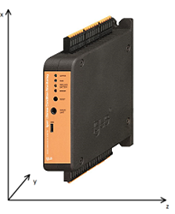
Built-in acceleration/alignment monitoring of the module, measurement is carried out in all three spatial directions
Connection
- Already integrated in the module
Figure 14: Orientation of internal accelerometer
Inbetriebnahme and user interface

Figure 16: Establishing a connection to the user interface
NOTE!
RNDIS driver may be required. Download the security keys here:https://www.catalog.update.microsoft.com/Search.aspx?
q=usb%5Cvid_0525%26pid_a4a2 />Download the installation package here:https://igus.widen.net/s/wlttsptqwb/sma_rdis-network-device-driver
- Use of a USB-A > micro-USB line.
- plug microUSB into i.Sense:modul II, USB-A into PC.
- Accessing the user interface via IP address 10.0.0.1 in browser address bar.
Figure 17: IP address (USB)
Driver Installation
- Download the security key etc. here: https://www.catalog.update.microsoft.com/Search.aspx?q=usb%5Cvid_0525%26pid_a4a2
- Go to Device Manager Select 2. COM port
- Click Update Driver
- Select File Folder from Download
- Click "Install" Alternatively:
- Download the installation package here: https://igus.widen.net/s/wlttsptqwb/sma_rdis-network-device-driver
- Unzip the compressed file
- Run and install the installation package
- Activate the AdHoc network by pressing the "Reset" button on the front of the i.Sense:modul II, for approx. 5 seconds. Within a few seconds, the WiFi network with the SSID igus-isense appears among the networks.
NOTE!
Access data AdHoc network:
Wi-Fi SSID: igus-isense
Password: igusSmartPlastics!

Figure 18: AdHoc SSID
- Connect to the network igus-isense
- Access the user interface by entering the IP 10.0.0.1 or 192.168.128.1 in your browser address bar.
EC. P
- Place the e-chain® in the middle of the travel path
- Set the offset (user interface -> Configuration, sensor 1 and/or 2)
- Force limits are preconfigured by igus®
CF. P
- Place the e-chain® in the middle of the travel path
- Set the offset (user interface -> Configuration, sensor 1 and/or 2)
- Force limits are preconfigured by igus®
EC. B
- No calibration necessary
- Three-bar menu in the upper left corner
NOTE!
Access data for operation:
Username: igus
Password: igus_1432#
- Choices: Sensors, Configuration, Alert Management, Wi-Fi Setup
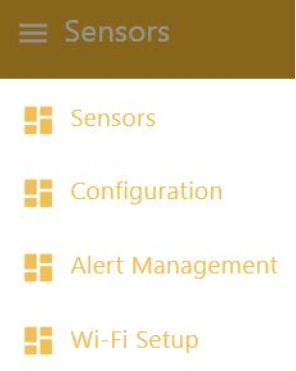
Figure 19: User Interface Menu
Configuration
NOTE!
Confirm the changes
Code: 1905
Sensors - Select 3-bar menu "Configuration" in the top left - Move the "configuration mode" slider to on (orange) - Enter data in the respective fields - Press the "Update Configuration" button Set CSV delimiters - Standard semicolon (;) - USA, Japan, etc. comma (,) When using several i.Sense:modul II devices - Adjust USB IP address Customize WiFi SSID device identification if needed - Standard igus-isense
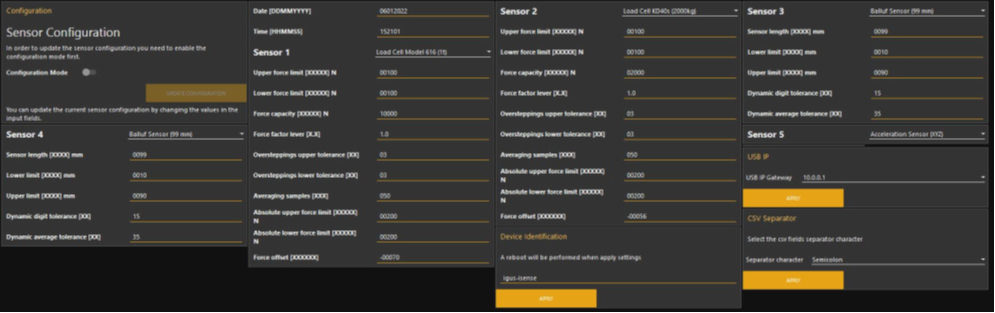
Figure 20: Sensor Configuration
Sensors
- Five columns of the shape (from top to bottom): Sensor status, graph of the last minute, current values, set limits, "Reset Sensor" button
| Color | Meaning |
|---|---|
| GREEN | Everything is fine / no need for action |
| RED | Error / action is required, click "Reset Sensor" to restart the measurement. If the error reappears, please contact customer service (p.31) |
| empty | Sensor port is disabled |
| Table 21: Sensor Status Indicators |
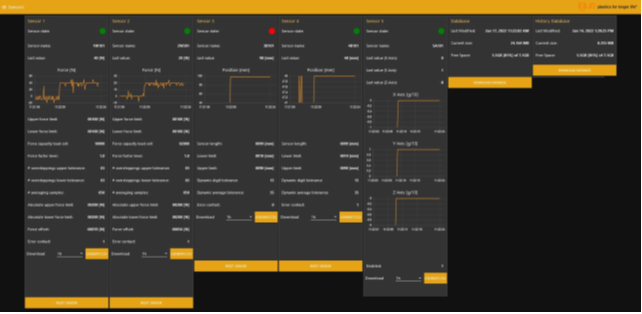
Figure 21: Sensor User Interface
Sensor Reset
NOTE!
In the event of a sensor error,
the error can be acknowledged by clicking on "Reset Sensor" and the measurement can be restarted Code
: 1905
or by pressing the "RESET" button on the front of the i.Sense:modul II.
- Click the reset button below the sensor
- Code entry window appears.
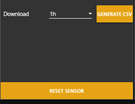
Figure 22: RESET SENSOR button
Data Download
- Measurement data can be downloaded as a CSV file for each sensor.
- The amount of data can be set in the adjacent field. Choice between 1h, 6h, 1d, 2d, 3d, 4d, 5d, 6d, 7d.
NOTE!
Data storage in ring memory
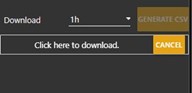
Figure 23: CSV data download
- Furthermore, all existing measurement data can be downloaded in the form of a database as a sqlite file.
- Database: all data in a period of at least 1 month
- Database History: Min./Max. values over a period of time (1h) over a longer period of time
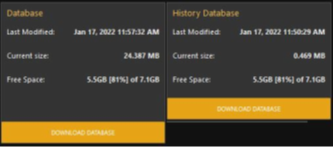
Figure 24: SQL Database Download
Alert Management
- In the top left, select 3 bar menu "Alert Management"
- Select sensor
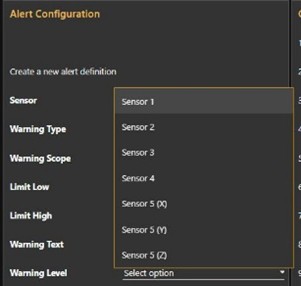
Figure 25: Sensor selection
- Assign alert type
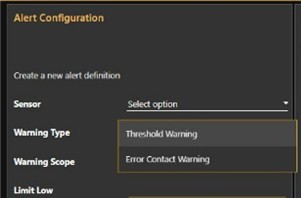
Figure 26 Alert Type
- Enter data in the respective fields
NOTE!
Use a positive sign for Limit low and Limit high!
-
- Limit low: lower limit
- Limit high: upper limit
- Warning Text: Text in SMS that is used to warn (maximum 100 characters)

Figure 27: Threshold values and warning text
- Set alert levels (see Figure 28)
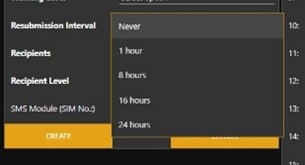
Figure 28: Alert Level
- Set the recurrence interval (see Figure 29)
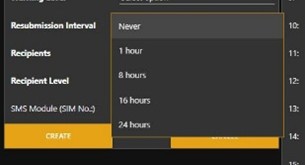
Figure 29: Recurrence interval
- Enter the phone number of the SMS recipient (see Figure 30)

Figure 30: Phone number SMS recipient
- Set authorization level (see Figure 30)
- 1 – allowed to perform reset
- 2 – read rights only
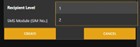
Figure 31: Authorization Level
- By clicking on "Create", the alarm message is created in the right-hand table (see Figure 31).
- The Delete button on the right can be used to delete the alarm message.
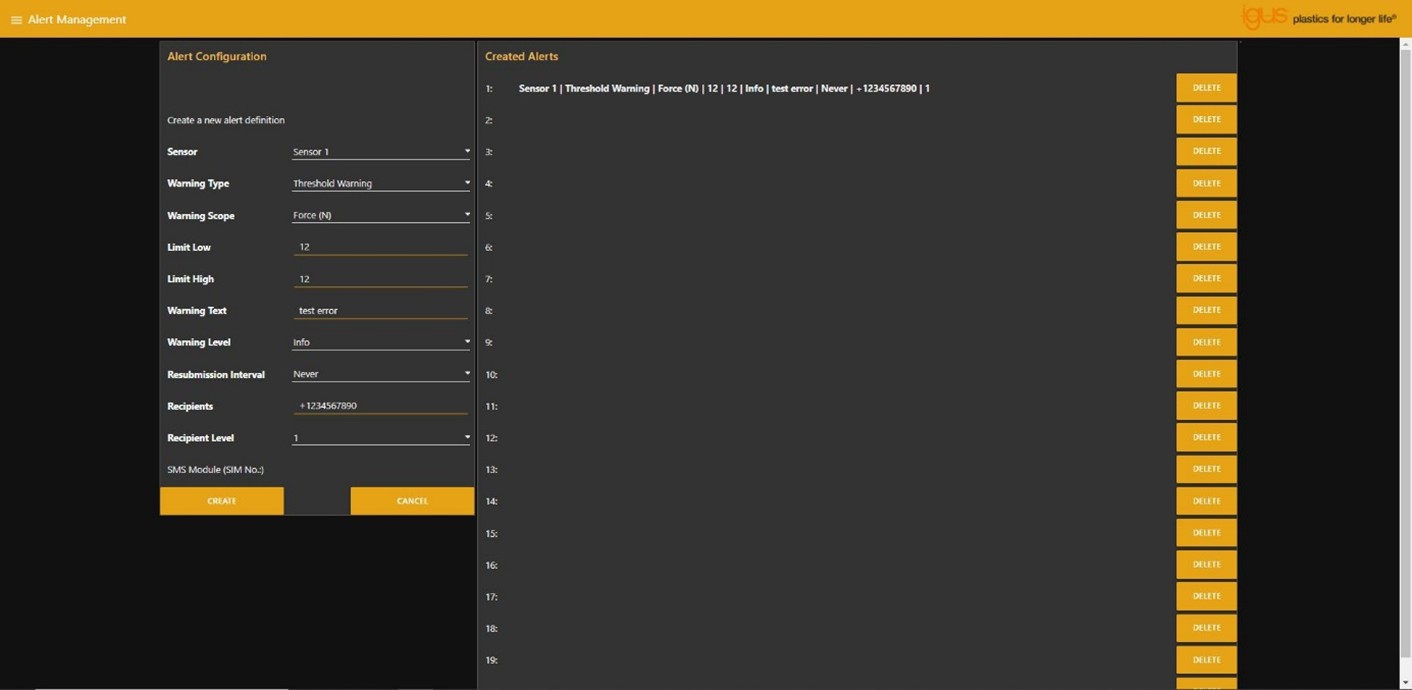
Figure 32: Message management
Wi-Fi Setup
- The SCAN button can be used to search for accessible Wi-Fi networks and select them via the "Select a Wi-Fi" button.
- The SSID of the selected Wi-Fi network is displayed in the lower field.
- In the "Password" field, the Wi-Fi password must be entered.
- After pressing the "CONNECT" button, the i.Sense:modul II connects to the selected Wi-Fi network.
- The right window displays the current network settings.
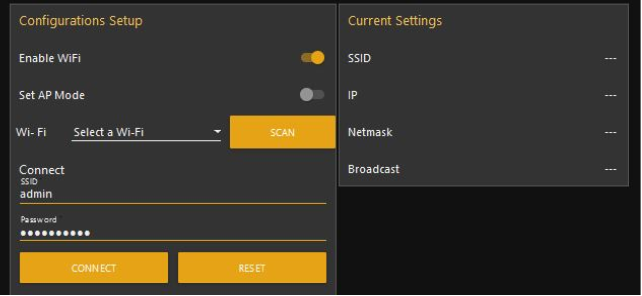
Figure 33: WiFi Setup
The identifier at the beginning of each sensor message is structured in the following form.
XXXXX;
| X | XX | XX |
| --- | --- | --- |
| 1 = Sensor 1 (2mV/V)
2 = Sensor 2 (2mV/V) | W1 = Vishay Load Cell Model 616 (1t)
W2 = Vishay Load Cell Model 620 (2t)
W3 = ME Measuring Systems Load Cell KD40s (2000kg)
D1 = Strain Gauge Force Sensor (small design)
D2 = Strain Gauge Force Sensor (large design)
00 \= deactivated | 01 = Version
00 = deactivated |
| 3 = Sensor 3 (4-20mA)
4 = Sensor 4 (4-20mA) | B1 = Balluf Sensor (99mm)
B2 = Micro-Epsilon (300mm)
B3 = WayCon (1000mm)
00 \= deactivated |
| 5 = Sensor 5 (XYZ) | A1 = Acceleration (XYZ)
00 \= Disabled |
Table 22: Structure of Sensor Identifier
Load cells and strain gauge sensors
| Description | Format |
|---|---|
| Sensor Identifier | XXXXX; |
| Date | DD.MM.YYYY; |
| Time | HH:MM:SS; |
| Absolute Upper Force Limit [N] | XXXXXX; |
| Upper Force limit with allowed numbers of force tolerance oversteppings [N] | XXXXXX; |
| Actual Force [N] | XXXXXX; |
| Lower Force Limit with allowed number of force tolerance oversteppings [N] | XXXXXX; |
| Absolute Lower Force Limit [N] | XXXXXX; |
| Number of upper force tolerance oversteppings [n] | XX; |
| Number of lower force tolerance oversteppings [n] | XX; |
| Number of force samples until averaging [n] | XXX; |
| Force offset [N] | XXXXXX; |
| Position [mm] | XXXXXX; |
| Status Potential-free contact (1=closed, 0=open) | X;\r\n |
| Table 23: Structure of the output string for load cells and strain gauge sensors |
Breaking Force Sensor
| Description | Format |
|---|---|
| Sensor Identifier | XXXXX; |
| Date | DD.MM.YYYY; |
| Time | HH:MM:SS; |
| Lower Position Limit [mm] | XXXX; |
| Actual Position [mm] | XXXX; |
| Upper Position Limit [mm] | XXXX; |
| Sensor length [mm] | XXXX; |
| Dynamic digit tolerance [n] | XX; |
| Dynamic average tolerance [n] | XX; |
| Status Potential-free contact (1=closed, 0=open) | X;\r\n |
| Table 24: Structure of the Output String Breaking Force Sensor |
Accelerometer
| Description | Format |
|---|---|
| Sensor Identifier | XXXXX; |
| Date | DD.MM.YYYY; |
| Time | HH:MM:SS; |
| Acceleration x-Axis [g/10] | XX; |
| Acceleration y-Axis [g/10] | XX; |
| Acceleration z-Axis [g/10] | XX;\r\n |
| Table 25: Structure of the accelerometer output string |
Example Strings
1W101; 24.03.2021; 12:34:01;+07000;+05000;-01453;-05000;-07000; 05; 05; 050;-00980;; 1;\r\n 2D101; 24.03.2021; 12:34:01;+05000;+03000;-00453;-03000;-05000; 01; 01; 100;-00580;; 1;\r\n 3B101; 24.03.2021; 12:34:01; 0010; 0050; 0090; 0099; 15; 35; 1;\r\n 4B101; 24.03.2021; 12:34:01; 0010; 0045; 0090; 0099; 15; 35; 1;\r\n 5A101; 24.03.2021; 12:34:01;+01;-02;+02;\r\n
Alerts
| LED (lit) |
Description | Condition of potential-free contacts |
|---|---|---|
| Green (Active) | LED is on as soon as a measurement is active. No action necessary, everything is fine. | high |
| Green (run) | LED is turned on as soon as the device is ready to access the GUI via IP address. | high |
| Yellow (replace battery) | LED is on as soon as the backup battery for the RTC is empty. Replace the battery. A description of this can be found on page 7 under 1.5 Maintenance/replacement of the battery. Caution: Switch off the device before the procedure and ensure that it is free of voltage. Failure to do so may result in physical harm and malfunction. Only use batteries with exactly the same characteristics: Lithium button cell type CR 1225 3V 50mAh. Note: To replace the battery, the case must be opened. In order to maintain the warranty claim, it is essential to discuss this in advance with the responsible igus® branch. If you do otherwise, the warranty claim expires. Note: After battery replacement, the date and time as well as all parameters in the setup area must be reset. |
|
| none | The device is disconnected from the power supply | Low |
| Table 28: Warnings, errors and potential-free contact |
Errors
| LED (flashing) | Description | Condition of Potential-Free Contact |
|---|---|---|
| Red (Error) once | Fault Sensor 1 | Low |
| Red (Error) twice | Fault Sensor 2 | Low |
| Red (Error) three times | Fault Sensor 3 | Low |
| Red (Error) four times | Fault Sensor 4 | Low |
| Table 29: Definition flashing red | ||
| LED (lit) | Description | Condition of Potential-Free Contacts |
| --- | --- | --- |
| Red (Error) | Several sensors are in the fault state | Low |
| Table 30: Definition of glowing red |
NOTE!
Check the error status using the floating contacts or take a look at the user interface. By clicking on Reset, the fault is acknowledged and the measurement is restarted.
Troubleshooting
- Unable to connect to the device.
- Check if network adapter / RNDIS driver is installed
- If necessary, reinstall drivers (p. 19)
- Loss of connection or user interface issues:
- Reloading of the page
- In the menu, click on the desired view
- If it fails, restart the device and try again.
- If this attempt is also unsuccessful, please contact customer service (p.31).
- The device does not determine all sensor data, what now?
- Check all connectors and restart the system.
- Otherwise, contact customer service (p.31)
FAQS
- How are the sensor limits set?
- User Interface -> Configurationmode
- How do you retrieve the sensor data obtained?
- Under the item User Interface, the individual steps for operating the user interface are listed.
- Is it possible to download the data from the user interface?
- Under the item User interface, a possibility is mentioned to download the sensor data.
Accessories
Abbreviation
Explanation of terms
Service
Customer Service
de-smartplastics-service@igus.net
+49 (0) 2203 9649 9806
Technical support for igus® smart plastics
Documentation/FW
https://www.igus.de/info/i-sense-modul-2
Download manuals, FW updates and certificates
Smart Plastics website
https://www.igus.de/info/vorausschauende-wartung-smart-plastics
Possibility to order sensors, processing units and other accessories
Contact
Phone: +49 (0) 2203-9649-0F
Imprint
© 2026
All rights reserved.
igus® SE & Co. KG
Spicher Str. 1a
51147 Cologne